> For the complete documentation index, see [llms.txt](https://docs.rapidbott.com/help-center/llms.txt). Markdown versions of documentation pages are available by appending `.md` to page URLs; this page is available as [Markdown](https://docs.rapidbott.com/help-center/flow-builder/steps/json-operation.md).
# JSON Operation
JSON is also a type of variable. It is used to store and manage a series of variables including normal variable and JSON variable.
For example, this is a JSON storing a customer's detail:
The "JSON Operation" is sitting in the "Basic Actions" list of the Action step.
TIP
{% hint style="info" %}
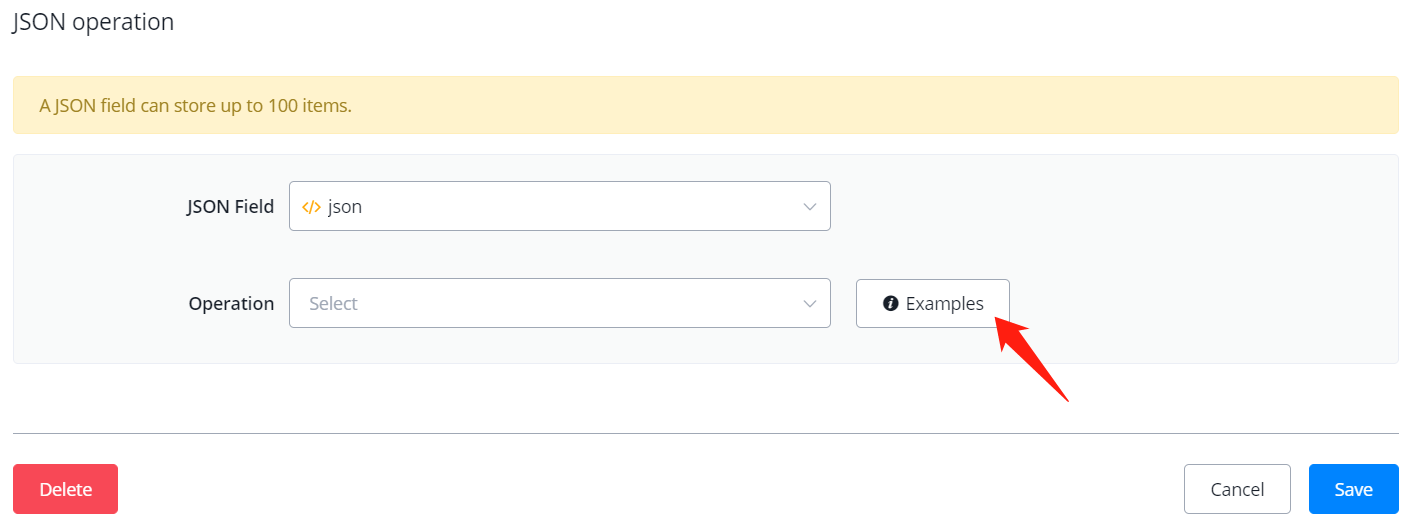
Various examples have been already embedded in the operation. Select an operation and use the "Examples" button to explore it!
{% endhint %}
For example, how to insert an item to a JSON variable:
.png?alt=media&token=a04c75a9-9d0c-417f-bbf9-b2c8dca5d21b)
.png?alt=media&token=b16ef85e-921e-4ea0-b06f-41f933031eb7)